Airbnb API Documentation: Endpoints, Auth, and Examples
A developer's tour of Airbnb API documentation: base URL, bearer-token auth, every endpoint, field projection, errors, rate limits, and webhooks — with copy-paste code.
You came for the Airbnb API documentation. Here it is, minus the runaround.
Airbnb’s own API is the invite-only Partner API, with no public docs. This is the documentation for the API most developers actually use: a third-party Airbnb API that returns public listing data as clean JSON. Base URL, auth, every endpoint, errors, rate limits, and webhooks — all below, with code you can paste.
Where do the Airbnb API docs live, and what do they cover?
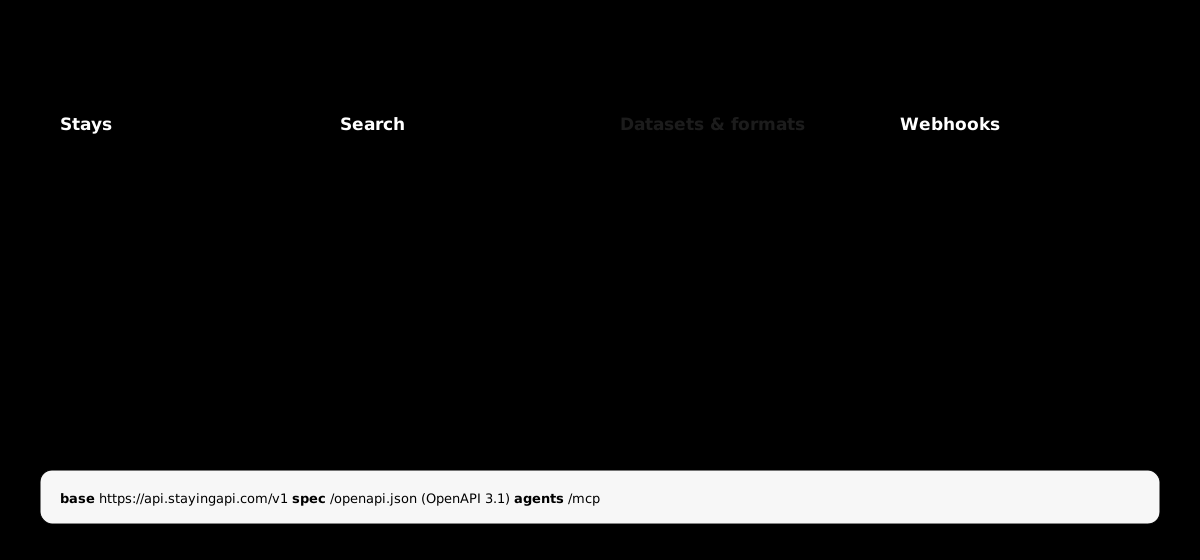
The docs cover one REST API under https://api.stayingapi.com/v1, plus an OpenAPI 3.1 spec at /openapi.json and an MCP server at /mcp for AI agents. The surface is small on purpose: look up a stay, search for stays, slice sub-resources, export datasets, and subscribe to webhooks. Every route returns the same canonical Stay shape.
Because the spec is OpenAPI 3.1, you can import the whole API into Postman, generate a typed client, or hand /openapi.json to an AI tool and let it write the calls.
The full reference lives in the docs. This post is the map.
How do you authenticate to the Airbnb API?
You authenticate with a bearer token in the Authorization header on every request. Keys start with sk_ followed by 32 characters and are created in the dashboard at /app/keys, where the secret is shown exactly once. There’s no session, no refresh dance — just the header.
curl https://api.stayingapi.com/v1/stays/1135700964697993602 \ -H "Authorization: Bearer sk_live_xxxxxxxxxxxxxxxxxxxxxxxxxxxxxxxx"Keep keys server-side, one per environment, and rotate by revoking and re-creating. A revoked key stops working within seconds and returns 401 invalid_key.
For AI agents, there’s a second path: OAuth 2.1 with PKCE against the MCP server. After the handshake you get a long-lived token that works in the same Authorization: Bearer header. The authentication reference has both flows.

What endpoints does the Airbnb API have?
The API has four endpoint groups: stays (single and batch lookups plus sub-resources), search (discovery by location and filters), datasets (CSV/JSON exports of async jobs), and webhooks (outbound events). Here’s the whole surface in one table.
| Method & path | What it does |
|---|---|
GET /v1/stays/{id} | One stay by listing id |
GET /v1/stays/by-url | One stay by airbnb.com/rooms URL |
POST /v1/stays/batch | Up to 50 stays in one call |
GET /v1/stays/{id}/{sub} | Slice one sub-resource (see below) |
POST /v1/search | Discover stays by location and filters |
POST /v1/search/with-details | Search, then enrich each row with a full lookup |
POST /v1/webhooks | Register an outbound webhook |
GET /v1/datasets/{id} | Stream a dataset as JSON or CSV |
The eight sub-resources slice a cached stay without re-fetching it: photos, reviews, host, amenities, availability, pricing, location, and rating. Each returns the same { data, request_id } envelope with data narrowed to that slice.
How do you look up a single stay?
Send a GET to /v1/stays/{id} with the listing id from any airbnb.com/rooms/{id} URL. You get back one canonical Stay object as JSON — no HTML, no scraping. If you only have the URL, hand the whole thing to /v1/stays/by-url and skip the parsing. Each lookup costs 1 credit.
curl "https://api.stayingapi.com/v1/stays/by-url?url=https://airbnb.com/rooms/1135700964697993602" \ -H "Authorization: Bearer sk_live_..."Need many at once? POST /v1/stays/batch takes up to 50 entries, each carrying exactly one of url or id, and returns the full array inline.
curl -X POST https://api.stayingapi.com/v1/stays/batch \ -H "Authorization: Bearer sk_live_..." \ -H "content-type: application/json" \ -d '{ "entries": [ { "url": "https://airbnb.com/rooms/19278160" }, { "id": "595401" } ] }'The response carries a meta.missing count for entries the upstream couldn’t resolve. Failed rows aren’t billed. Full schema is in the Stays reference.
How do you search Airbnb listings?
Send a POST to /v1/search with a location and any mix of dates, price, capacity, and room filters. You get a page of matching stays plus a meta.next_page_token to walk the rest. maxItems is clamped to 250 per call; for more, page through with nextPageToken.
curl -X POST https://api.stayingapi.com/v1/search \ -H "Authorization: Bearer sk_live_..." \ -H "content-type: application/json" \ -d '{ "location": "Lisbon, Portugal", "checkIn": "2026-07-01", "checkOut": "2026-07-06", "minBeds": 2, "priceMax": 250, "maxItems": 25 }'Omit the dates and the search runs against a 2-night window 14 days out, so you still get useful results. Want the search results and their full details in one shot? POST /v1/search/with-details runs both stages and bills one search credit plus one detail credit per row. The Search reference lists every filter.
How do you trim responses and pick a format?
Add ?fields= with a comma-separated list of dot-paths to return only the keys you want, on both single lookups and search rows. Responses are JSON by default; the dataset endpoint also streams CSV via ?format=csv or an Accept: text/csv header. Projection cuts payload size and transfer time when you only need a few fields.
# Just id, title, and the nightly pricecurl "https://api.stayingapi.com/v1/stays/1135700964697993602?fields=id,title,pricing.price" \ -H "Authorization: Bearer sk_live_..."{ "data": { "id": "1135700964697993602", "title": "Beachfront flat in Estoril", "pricing": { "price": 184 } } }Wildcards aren’t supported, so list every leaf you want. For big exports, pull the dataset as CSV:
curl "https://api.stayingapi.com/v1/datasets/ds_abc?format=csv" \ -H "Authorization: Bearer sk_live_..." > stays.csvSee field projection and output formats for the details.

What do Airbnb API errors and rate limits look like?
Every error is JSON with a stable shape: a status, a machine-readable code, a human message, and a request_id for support. Rate limits are per key — 20 requests per minute on Free, 200 on Monthly, 300 on Annual, and 1,500 on Enterprise, surfaced in x-ratelimit-* response headers.
{ "error": { "status": 429, "code": "rate_limited", "message": "Try again in 32 seconds." }, "request_id": "req_abc" }The codes you’ll actually branch on: 401 invalid_key, 400 invalid_id / invalid_filter, 404 not_found, 429 rate_limited, and 429 quota_exceeded. Two of those four-twenty-nines mean different things — rate_limited is “slow down,” quota_exceeded is “out of credits.”
Handle them like this:
429 rate_limited— honor theretry-afterheader, then retry.429 quota_exceeded— don’t retry. Top up or wait for renewal.5xx— retry with exponential backoff, capped at 60s.
The full error catalogue and rate-limit guide cover every code.

How do webhooks work?
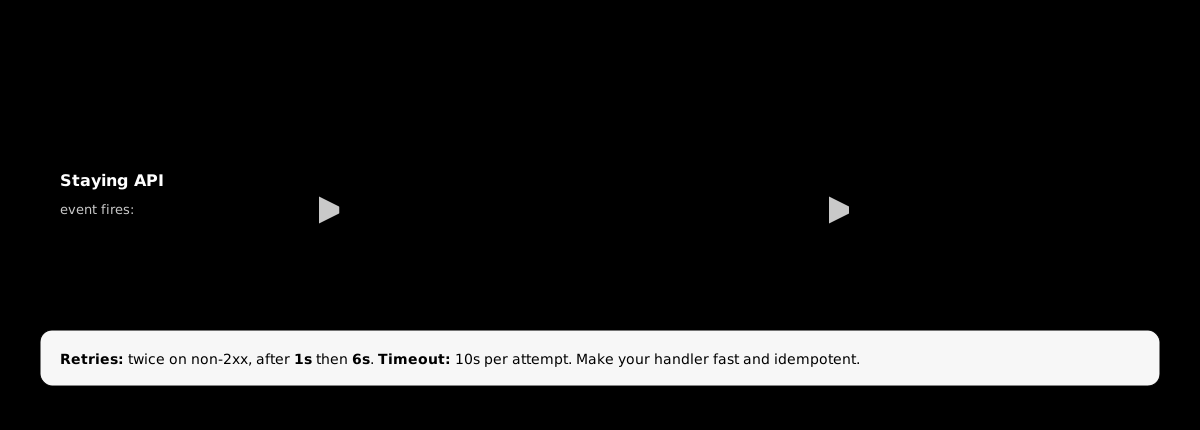
Register a URL with POST /v1/webhooks and Staying API pushes events to it as they happen — stay.refreshed, job.completed, credit.threshold, and more. Every delivery is signed: an x-stayingapi-signature header carries a timestamp and an HMAC-SHA256 of the payload, so you can verify the request came from us before trusting it.
POST /your-hook HTTP/1.1x-stayingapi-signature: t=1716040800,v1=8b8c2bdac9...content-type: application/json
{ "event": "stay.refreshed", "id": "evt_abc", "created_at": "2026-05-16T22:30:00Z", "data": { "id": "1135700964697993602" } }
To verify, recompute the HMAC over the signed payload with your signing secret and compare it to v1. Deliveries retry twice on a non-2xx response (after 1s and 6s) and time out after 10 seconds, so make your handler fast and idempotent. The verify-webhook recipe has a full Node example.
Start reading data, not docs
That’s the whole surface: one base URL, one bearer header, a handful of endpoints, and a canonical shape that never changes underneath you.
Grab an API key, open the quickstart, and make your first call against real listing data. 100 credits are on the house, no card required.
Frequently asked questions
- Does Airbnb have official API documentation?
- Airbnb's official Partner API is invite-only and has no public docs portal. For reading public listing data, developers use a third-party Airbnb API. Staying API publishes full REST documentation plus an OpenAPI 3.1 spec at /openapi.json, so you can generate clients and import the whole surface into Postman or an IDE.
- What is the base URL for the Airbnb API?
- Staying API's base URL is https://api.stayingapi.com, and every REST route is versioned under /v1 — for example https://api.stayingapi.com/v1/stays/{id}. The MCP server for AI agents lives at https://api.stayingapi.com/mcp, and the OpenAPI spec is at /openapi.json.
- How do I authenticate to the Airbnb API?
- Pass a bearer token in the Authorization header on every request: Authorization: Bearer sk_live_... Keys start with sk_ followed by 32 characters and are created in the dashboard at /app/keys, where the secret is shown once. AI-agent clients can also authenticate with OAuth 2.1 + PKCE against the MCP server.
- What Airbnb API endpoints are available?
- The core endpoints are GET /v1/stays/{id} and /v1/stays/by-url for single lookups, POST /v1/stays/batch for up to 50 at once, eight sub-resources like /photos and /reviews, POST /v1/search and /v1/search/with-details for discovery, /v1/webhooks for events, and /v1/datasets/{id} for CSV exports.
- How do I handle Airbnb API rate limits and errors?
- Rate limits are per key: 20 RPM on Free, 200 on Monthly, 300 on Annual, 1,500 on Enterprise. Every error is JSON with a status, code, and message plus a request_id. On 429 rate_limited honor the retry-after header; on 5xx retry with exponential backoff; on 429 quota_exceeded stop and top up credits.
- Can I get Airbnb data as CSV instead of JSON?
- Yes. Endpoints return JSON by default, and the dataset endpoint streams CSV: GET /v1/datasets/{id}?format=csv. You can also use content negotiation with an Accept: text/csv header. CSV streaming is faster for large async-job exports above roughly 5MB.
Build it on real Airbnb data
Pull listings, photos, host info, reviews, availability, and pricing from one REST endpoint. 100 free credits, no credit card.